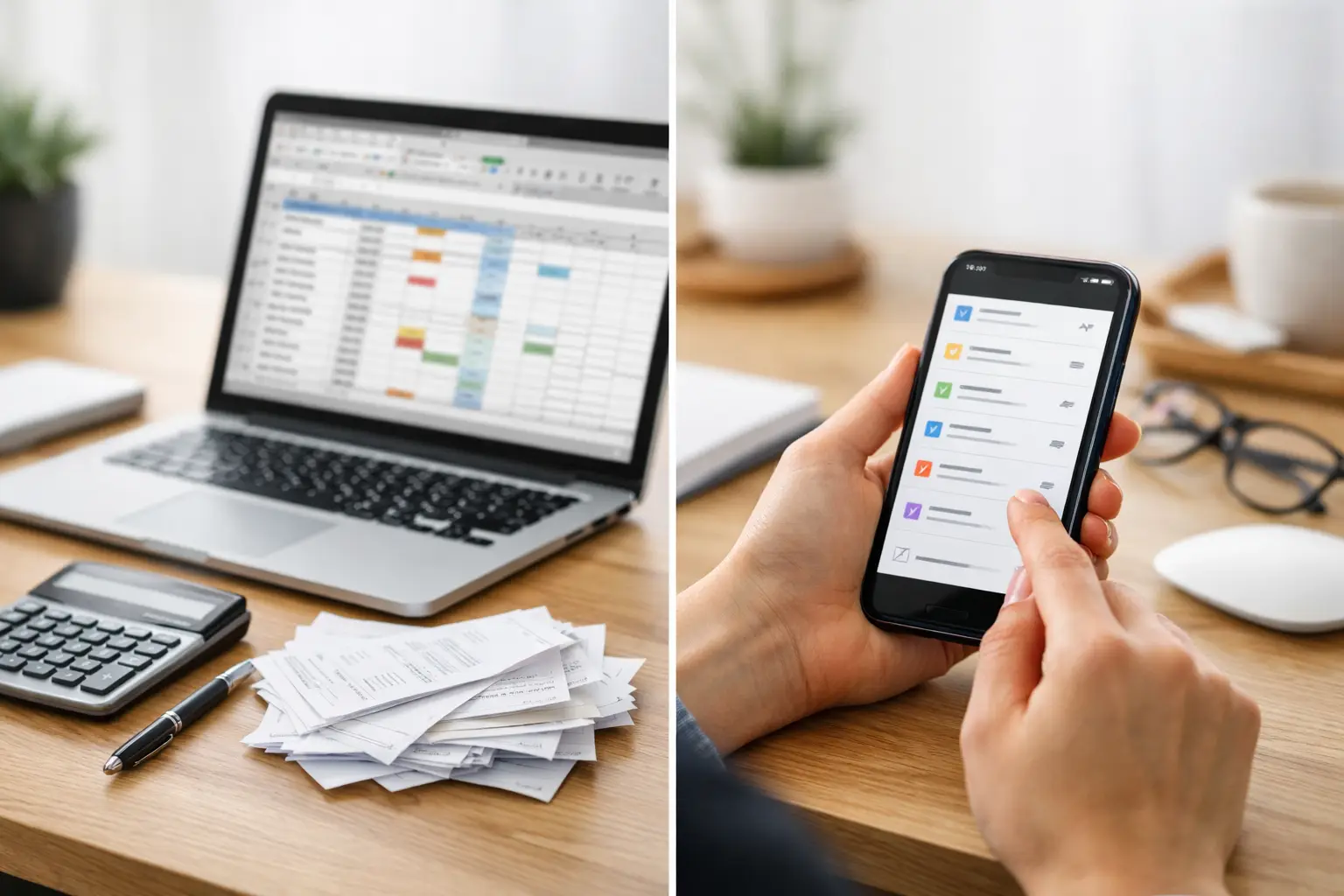
If your bill system lives in a spreadsheet you only open when something feels overdue, you are not alone. The choice between a bill organizer app vs spreadsheet usually comes down to one real question: do you want a record of your bills, or do you want a system that helps you remember them on time?
A spreadsheet can absolutely work. For some people, it is familiar, flexible, and good enough. But bills are not just information to store. They are recurring obligations tied to dates, payment status, renewals, and the kind of mental notes that tend to pile up when life gets busy. That is where the difference starts to matter.
Bill organizer app vs spreadsheet: what changes day to day?
The biggest difference is not appearance. It is maintenance.
A spreadsheet is a manual system. You build the columns, decide how to organize recurring bills, enter due dates, update payment status, and remember to keep it current. If you miss a month of updates, the spreadsheet becomes less useful fast. It still holds information, but it stops acting like a reliable system.
A bill organizer app is built around the actual job you are trying to do. Instead of starting with a blank grid, you start with recurring due dates, reminders, visibility into upcoming payments, and a clearer sense of what is due next. That matters for people who do not want to create a process from scratch every time they add a subscription or annual renewal.
This is why the spreadsheet versus app decision often has less to do with cost or habit and more to do with how much effort you want your system to require each week.
Where spreadsheets still make sense
There is a reason spreadsheets remain popular. They are flexible, easy to customize, and familiar to almost everyone. If you like building your own layout, color-coding rows, and controlling every field yourself, a spreadsheet can feel satisfying.
They also work well for people with a very small number of bills and a strong habit of checking the file regularly. If your rent, utilities, and a few subscriptions are easy to track and you already review them on a set schedule, a spreadsheet may be enough.
Spreadsheets are also useful when you want a broad snapshot on one screen. You can sort by due date, add notes, and create your own categories. For someone who enjoys that level of manual control, the spreadsheet is not the wrong choice.
The trade-off is that flexibility creates responsibility. Every improvement, update, formula, reminder note, and status change depends on you. The spreadsheet does not step in when you forget to open it.
Where spreadsheets start to break down
The problem usually is not building the spreadsheet. The problem is keeping it alive.
Bills are repetitive, but they are not static. Some are monthly, some are annual, some renew automatically, and some change date or amount. A simple spreadsheet can start out clean and then turn into a running list of half-updated notes, unchecked dates, and tabs you meant to revisit later.
That is especially true when your life is already full. If you are juggling work, family schedules, home responsibilities, and subscriptions you signed up for months ago, the spreadsheet becomes one more thing to maintain. It relies on memory more than most people expect.
There is also a visibility problem. A spreadsheet may show what exists, but it does not always make it obvious what needs attention now. You might have all the information stored correctly and still miss a due date because nothing pulled your attention back at the right time.
For many households, that is the breaking point. They do not need more data entry. They need better follow-through.
What a bill organizer app does better
A bill organizer app is designed around recurring obligations, not blank cells. That changes the experience in a practical way.
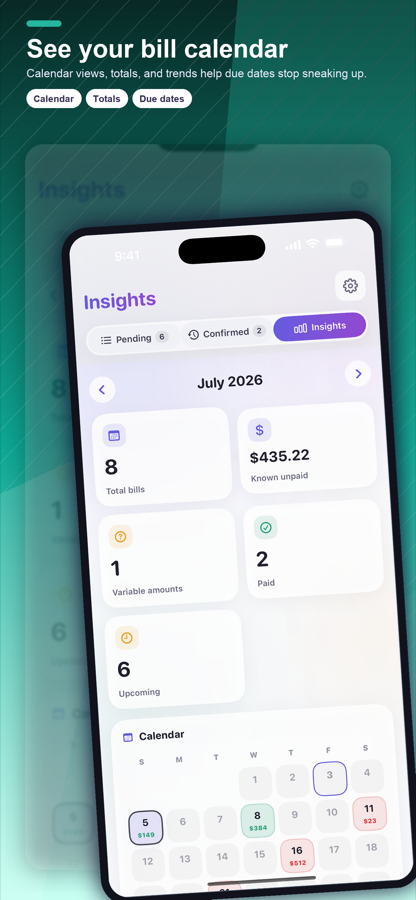
Instead of creating your own reminder logic, you are using a tool built to keep due dates visible and easier to act on. You can see what is coming up, what repeats, and what has already been handled without shaping the whole system yourself. That lowers the mental effort required to stay organized.
This is where mobile-first design matters. Bills do not only need attention when you are sitting at a laptop. You think about them while checking email, talking with your partner, reviewing household expenses, or remembering that a yearly subscription is about to renew. A phone-based system fits that reality better than a spreadsheet that lives in a desktop file or cloud document you rarely open.
ClearDue Tracker is a good example of this kind of approach. It is designed for bill tracking, subscription reminders, recurring due dates, and payment visibility, which means the system starts closer to what busy households actually need. The goal is not to build a custom sheet. It is to stay ahead of what is due.
Bill organizer app vs spreadsheet for recurring bills
Recurring bills are where the gap becomes most obvious.
A spreadsheet can list repeating payments, but it usually depends on you to duplicate entries, adjust dates, or track whether a renewal is coming up. That may be manageable with three or four items. It becomes less manageable when the list includes utilities, phone bills, streaming services, insurance premiums, memberships, annual renewals, and household accounts that are easy to forget until they hit your card.
A bill organizer app is better suited to repetition because repetition is the point. It helps turn recurring obligations into something visible and consistent instead of something you have to reconstruct every month.
That does not mean every person needs an app. It means the more your bill life includes renewals, subscriptions, and repeating due dates, the more likely an app will save time and reduce mental clutter.
The real issue is not organization. It is recall.
Many people think they need a better way to organize bills. Often, what they really need is a better way to remember them.
A spreadsheet can be perfectly organized and still fail at recall. If you do not open it at the right moment, the system is effectively asleep. That is why people who are otherwise organized still get caught off guard by annual charges, trial renewals, or bills that arrive at an inconvenient time each month.
A bill organizer app closes that gap by making due dates and reminders part of everyday life instead of a separate admin task. That shift may sound small, but it changes how likely you are to stay ahead without relying on memory.
For busy adults, that is often the deciding factor. The best system is not the one with the most customization. It is the one you will actually keep using.
Which option is better for you?
If you enjoy setting up systems, review your bills consistently, and have a short list of recurring payments, a spreadsheet may still work well. It is simple, low-cost, and familiar.
If you want less manual upkeep, clearer due date visibility, and reminders that fit naturally into a phone-first routine, a bill organizer app will usually be the better fit. This is especially true if missed renewals, scattered subscription details, or mental overload are part of the problem.
There is also a middle ground. Some people start with a spreadsheet and realize it worked fine when life was calmer and bill tracking was simpler. Then responsibilities increase, more subscriptions pile up, and the old system starts depending too much on memory. That is often the moment an app becomes more practical than a file.
You do not need the most advanced system. You need one that stays clear when your schedule is not.
A good bill system should make you feel less like you are chasing due dates and more like you already know what is coming. If your spreadsheet still gives you that confidence, keep it. If it mostly gives you a place to store information you forget to check, it may be time for something built for the job.