The problem with bills usually is not the bill itself. It is the five different places the information lives. One due date is buried in email, another is saved in auto-pay, a paper statement is on the counter, and a yearly renewal shows up long after you forgot it existed. If you want to learn how to organize household bills, the goal is not to build a perfect system. It is to build one you will still use three months from now.
A good bill system should do three things well. It should show you what is due, tell you when it is due, and make it easy to confirm whether it has been paid. Anything more complicated than that often becomes another chore to manage.
Why household bills get messy so fast
Most households are not dealing with one type of bill. You may have rent or mortgage, utilities, internet, streaming services, phone plans, storage fees, annual memberships, school payments, and scattered subscriptions tied to different cards. Some arrive monthly. Some renew once a year. Some are fixed, while others change every cycle.
That mix is why people fall behind even when they are responsible. The issue is often not money management. It is information management. When due dates, account details, renewal schedules, and payment confirmations are spread across paper, inboxes, text alerts, and memory, small things get missed.
Organizing bills is really about reducing mental clutter. Once you can see the whole picture in one place, it becomes much easier to stay calm and stay ahead.
How to organize household bills without overcomplicating it
Start by gathering every bill and recurring payment you have. This includes the obvious ones like electric, water, rent, and internet, but also the easy-to-forget items like music subscriptions, annual app renewals, pest service, cloud storage, and kids' activity fees if they recur. If money leaves your account on a schedule, it belongs in your system.
As you gather them, capture the same core details for each one: the name of the biller, the amount or average amount, the due date, how it is paid, which account or card it uses, and whether it is monthly, quarterly, or annual. If there is a login or account number you regularly need, keep that with the record too.
This is the point where many people reach for a spreadsheet. That can work, especially if you like building your own system. But spreadsheets also need upkeep, and they do not naturally remind you when something is coming up. Paper lists have the same weakness. They may feel satisfying to create, but they depend on you remembering to check them.
For most busy households, a reminder-based setup is easier to maintain because it puts the timing in front of you when it matters.
Create one home for due dates
The biggest improvement usually comes from choosing a single place to track all bill due dates. Not some in email, some in a calendar, and some in your head. One place.
That does not mean every payment has to happen the same way. You can still keep some bills on auto-pay and pay others manually. The important part is that every recurring obligation is visible in the same system.
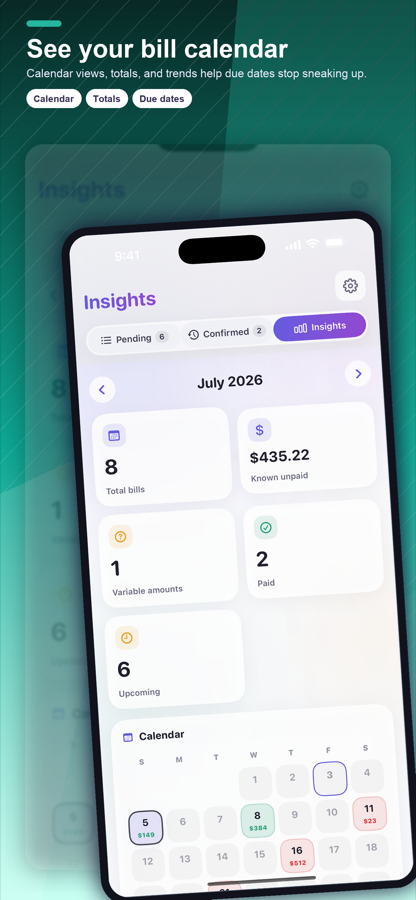
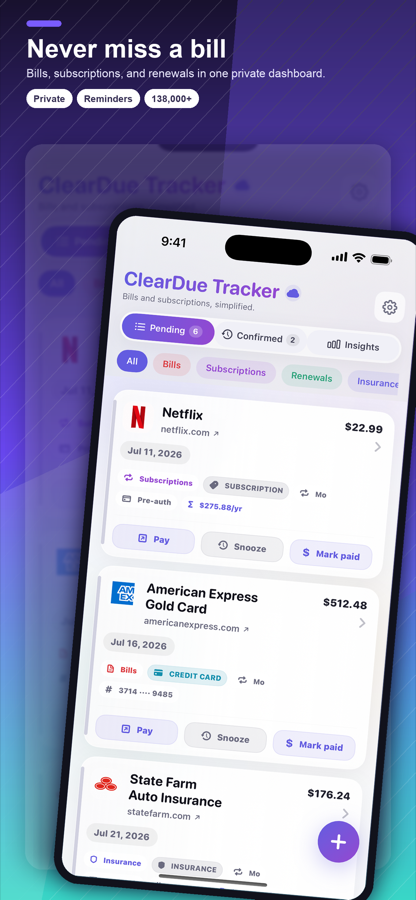
If you are using an iPhone and want a mobile-first way to manage this, ClearDue Tracker fits naturally here. It is built for bill tracking, recurring due dates, subscription reminders, and payment visibility, which is exactly what most people need when they are trying to stop household bills from feeling scattered.
The simpler the setup, the better. Enter each bill once, set the due date and repeat schedule, and make sure reminders give you enough lead time to act. A reminder on the due date itself may be too late if you need time to transfer money, review the statement, or confirm a card on file still works.
Choose reminder timing that matches real life
There is no perfect reminder schedule for everyone. It depends on how you pay bills.
If you review and pay manually, you may want reminders several days ahead. If a bill is on auto-pay, a reminder one or two days before can still help you check the amount and avoid surprises. For annual renewals, more notice is better because those are the charges people forget most often.
The point is not to create more notifications than you can stand. It is to create enough notice to make the reminder useful.
Separate recurring bills from one-off expenses
One reason bill systems get bloated is that people try to track every purchase the same way. Household bills are different from random spending because they repeat and carry deadlines. That means they deserve their own structure.
Keep your recurring obligations in one category and your one-time purchases somewhere else. This gives you a cleaner view of what you are committed to every month and throughout the year. It also helps when your expenses change. If you cancel a service or switch providers, you can update that one bill record without digging through unrelated transactions.
This distinction matters even more for subscriptions. Small recurring charges are easy to ignore until they pile up. When they sit beside major bills in the same view, they become easier to evaluate.
Keep proof of payment and account details together
Knowing a bill is due is only half the job. The next issue is usually, "Did I already pay that?" That question gets more common in busy households where more than one person handles finances or where auto-pay mixes with manual payments.
A practical bill system should make it easy to confirm status. Paid, unpaid, upcoming, overdue - those labels matter because they reduce guesswork. If you also keep basic account details with each bill record, you avoid the usual scramble for account numbers, login names, or customer service information when something looks off.
This is where digital organization tends to beat paper. A folder full of statements can help for recordkeeping, but it is slower when you need a quick answer. The best system is the one that gives you both visibility and enough detail to act fast.
Build a monthly bill check-in you can actually keep
Even with reminders, it helps to have a short routine. Not a full financial review. Just a simple monthly check-in.
Pick a day each month to review upcoming bills, renewals, and any amount changes. This can take ten minutes. You are looking for anything unusual: a higher utility charge, a subscription you no longer use, a card expiration that could interrupt payment, or a yearly renewal coming sooner than expected.
This habit catches problems early without turning bill management into a major project. It also helps if your household shares responsibilities. One quick review gives everyone clarity on what is coming up.
If you live with a partner or family, define who does what
Shared households often run into a different problem. Everyone assumes someone else is watching the bills.
If more than one person is involved, be clear about ownership. Decide who reviews reminders, who makes payments, and who updates records when something changes. You do not need a complicated household workflow. You just need fewer assumptions.
This is especially helpful for annual charges and services that are not paid from the main checking account. Those are the ones that slip through the cracks when responsibilities are vague.
Paperless is helpful, but only if you still have a system
Going paperless can reduce clutter, but it does not automatically make you organized. In some cases, it makes things easier to miss because statements stop arriving in visible places.
If you prefer paperless billing, make sure the information still lands in your main tracking system. Email alone is not a bill organizer. It is an inbox, and inboxes fill up fast.
On the other hand, if you still receive paper bills, you do not need to keep stacks on the kitchen counter. Open them, capture the important details in your bill system, and store only what you truly need for records. The value is in the information, not the pile.
What to do when your bill system stops working
If your current setup feels broken, the answer is usually not to start over from scratch. It is to remove friction.
Maybe your reminders come too late. Maybe your list is missing annual renewals. Maybe you are tracking bills in too many places. Maybe auto-pay made you stop checking amounts. Most bill systems fail in small, ordinary ways, not dramatic ones.
So make one practical fix at a time. Consolidate the records. Add missing due dates. Adjust reminder timing. Remove duplicate tracking. A useful system should feel lighter after a week or two, not heavier.
Learning how to organize household bills is really about creating a clear view of what your home already has to manage. Once that view is in place, the stress drops. You stop wondering what is coming, what got paid, and what you forgot. And that kind of clarity makes everyday life feel a little more manageable.